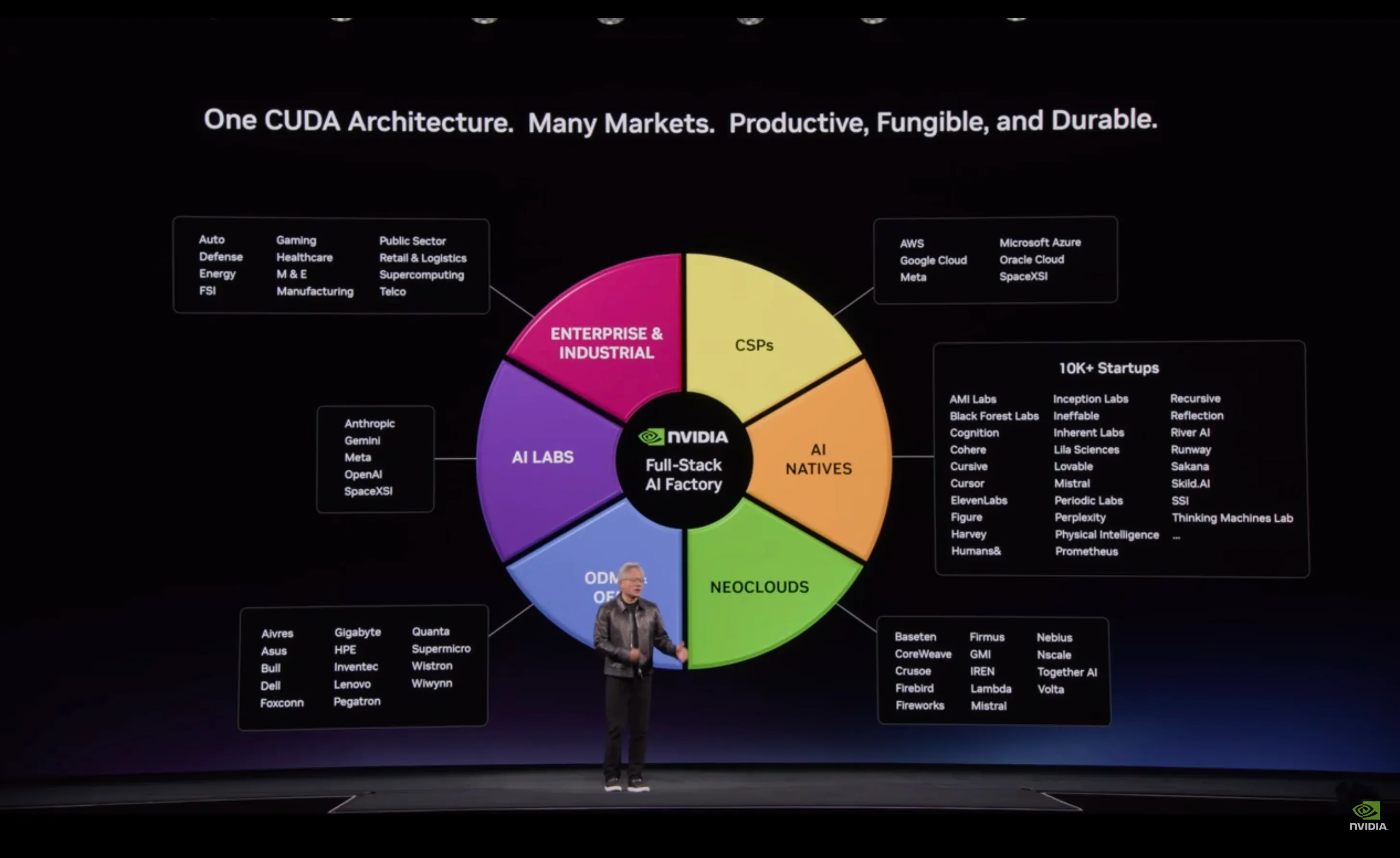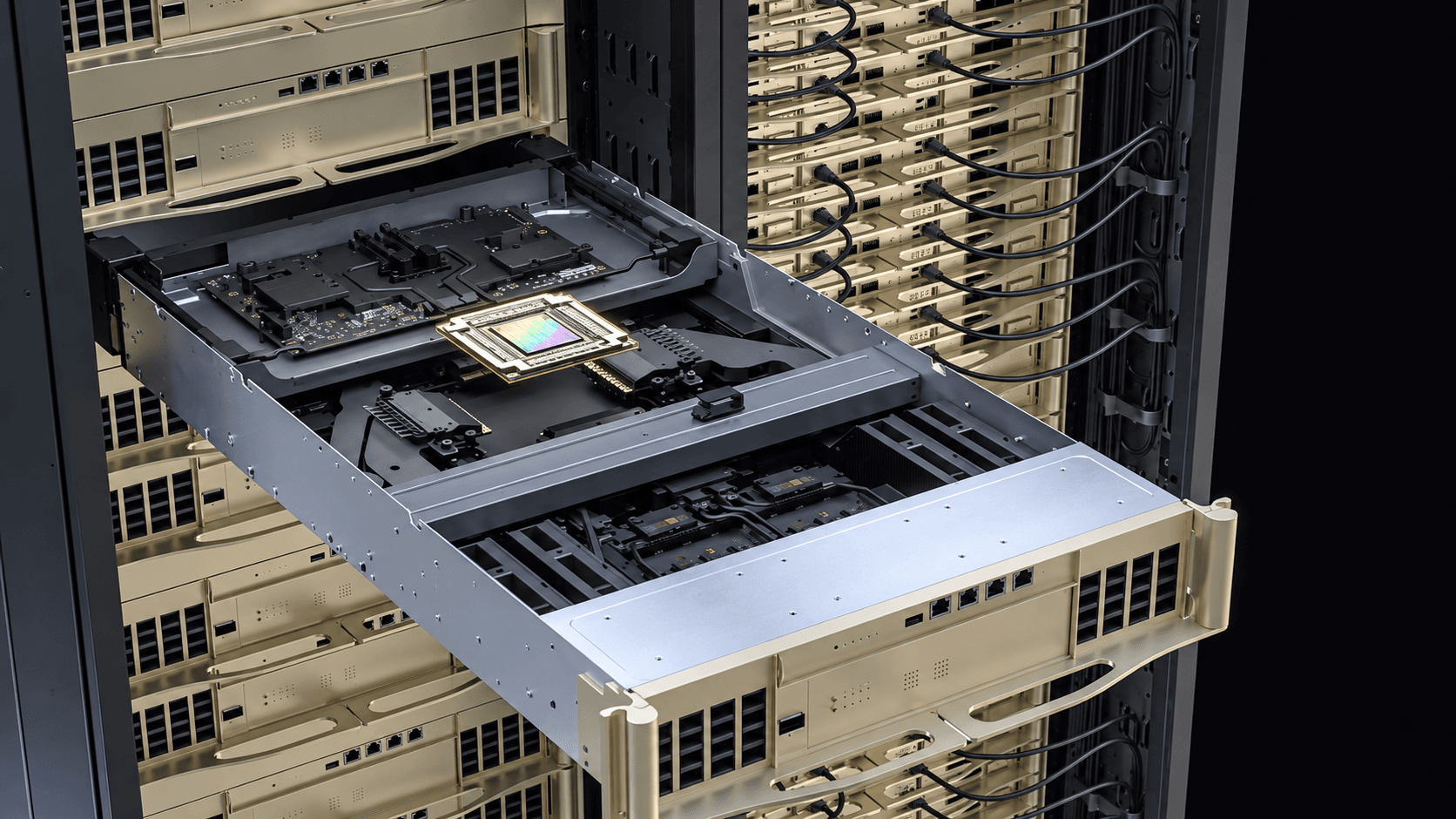
At GTC Berlin, Jensen Huang held up an NVLink switch tray and described connecting 72 GPUs into one gigantic GPU. It was a memorable way to explain the scale of NVIDIA's computing systems. For a team preparing to run a real workload, it also opens an important engineering question: how does an application put all that hardware to work?
The keynote brought GPUs, CPUs, memory, switches and software into the same discussion, which is exactly how customers experience it, because when they train or serve a large model, their result depends on how well the system calculates, moves data and coordinates work across devices.
Understanding how those parts relate tells you what to look for in AI infrastructure and how to judge the performance it can deliver for your own application.
1. The workload has to fit the memory system
A GPU needs access to model weights, intermediate results and the working state of active requests. Memory capacity decides how much of that state can stay on the device, while memory bandwidth decides how quickly the processor can read and update it.
Language-model inference shows the difference clearly. During prefill, the system processes the input prompt and builds the state it needs for generation, and during decode it produces the output tokens one after another. Prefill offers a lot of parallel computation, while decode often puts more pressure on memory bandwidth, especially at low concurrency, and how that balance falls depends on the model and the serving configuration.
The key-value cache, or KV cache, stores attention state so the model can reuse earlier computation, and it grows with longer contexts and more simultaneous requests. That is why NVIDIA's work on KV cache optimization targets both its memory footprint and the bandwidth needed to reach it.
Consider two services running the same model, one answering short questions and the other reading long engineering documents before it responds. They process input differently and hold very different amounts of context, so a useful infrastructure specification starts with the model, the context lengths and the expected request patterns. Those details show whether the application needs more memory capacity, faster access to the memory it already has, more computing power or a different serving arrangement.
2. GPUs need fast paths to each other
When a model spans multiple GPUs, the devices exchange data as they calculate, and the cost of those exchanges depends on how the model is divided and on the connections between the devices.
NVIDIA's Vera Rubin NVL72 combines 72 Rubin GPUs and 36 Vera CPUs, with NVLink 6 handling communication inside its rack-scale GPU domain and Ethernet or InfiniBand connecting it to the wider infrastructure, as NVIDIA's Vera Rubin platform architecture describes.
These are usually called scale-up and scale-out connections. Inside the NVL72 domain, NVLink supports closely coordinated GPU work, while across racks the network carries the communication a larger distributed workload needs, so software has to place work with both paths in mind.
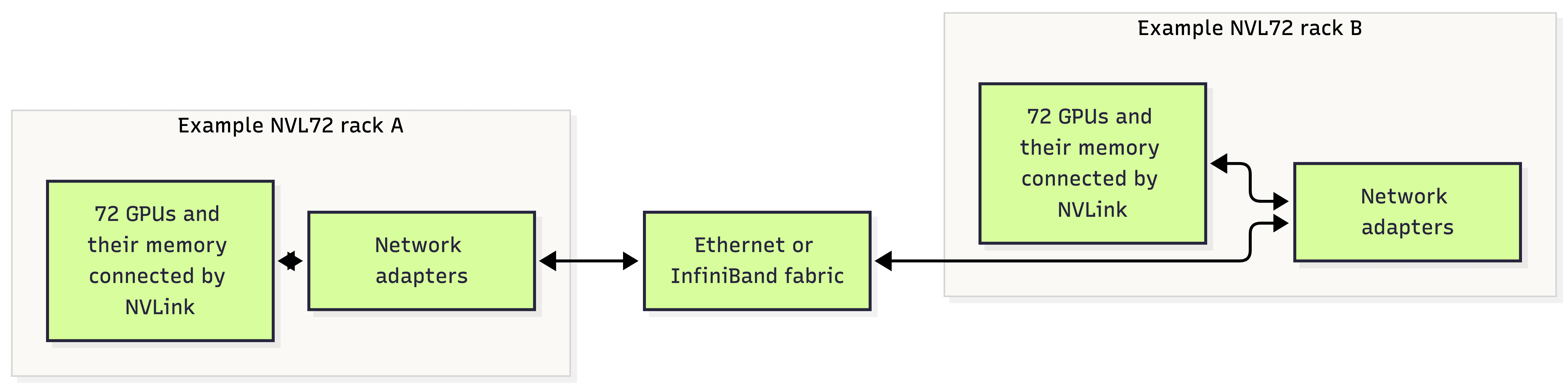
The diagram groups the devices to show the two communication layers, but the memory itself is physically distributed across all those GPUs, so the application still needs an effective way to divide the work and exchange results.
A job that constantly exchanges data within a group of GPUs needs different placement from independent requests served by separate model replicas, so evaluating infrastructure starts with knowing which pattern your application follows and which connections carry its busiest exchanges.
3. Software turns connections into coordinated work
Distributed applications exchange results through collective communication operations. An all-reduce, for example, combines values from multiple GPUs and returns the combined result to each of them, while an all-gather collects every participant's contribution and makes the full set available to all. Both come from NVIDIA's NCCL library, which its collective communication documentation describes in detail.
Those exchanges take time inside the application, and how much depends on the volume of data, how often the GPUs communicate and how much of that communication can overlap with computation. A network specification tells you which links are available, but only the application shows how well they are used.
The software also decides how to distribute the model. Tensor parallelism splits operations across GPUs, pipeline parallelism gives different stages to different groups of GPUs, and separate replicas spread the requests themselves. Each arrangement changes memory use and communication in its own way.
The right choice follows the workload. A model too large for one device's memory needs a distribution strategy, whereas a model that already fits may do better with extra replicas as demand rises. An inference service with long prompts and lengthy generation may benefit from running prefill and decode on separate workers, as long as the gain outweighs the cost of moving the state between them.
This is why placement, serving configuration and communication libraries belong in the performance work itself, because they decide how the application actually uses the hardware it has.
4. Co-packaged optics shortens an important electrical path
Huang also showed Spectrum-X networking with co-packaged optics, a name that describes a specific packaging change: the optical engines sit on the same package as the switch chip.
In a conventional pluggable design, electrical signals travel across the circuit board between the switch chip and the optical modules, and moving the optics closer shortens that path. NVIDIA presents the approach as a way to make the network more power-efficient and reliable as connection speeds and system sizes grow, as its Spectrum-X Ethernet Photonics overview explains.
What matters to a customer is how efficiently and consistently the network supports their work, and judging that means understanding the deployed topology, the communication patterns and the operating conditions. The optical design is one part of that picture, alongside congestion behavior, software configuration and the links available to the job.
Independent model replicas, for example, can serve separate requests with little coordination between them, while a single model spread across racks may exchange intermediate results again and again. Only when the network is assessed against the communication pattern a customer actually has do its specifications start to mean something.
5. Measure how additional resources change the result
A scaling curve records what happens when a workload gets more resources. For training, it shows how elapsed time changes as GPUs are added, and for inference, how throughput and response times shift with GPU allocation and concurrent demand.
Start from how the workload really behaves and keep every observation. Wherever a comparison depends on it, hold the model, precision, input and output distributions and software configuration constant, and record any deliberate change separately so its effect stays visible.
Each of these measurements answers a different customer question:
| Observation | What it helps establish |
|---|---|
| Training time to a specified result | How quickly the infrastructure supports the training objective |
| Time to first token and intervals between tokens | How the service responds and continues generating |
| Throughput alongside the observed latency distribution | How much work the service handles at that level of responsiveness |
| Time spent in computation, communication and waiting | Where further investigation or improvement belongs |
| Cost and energy for the completed workload | What the result required from the infrastructure |
For energy, record where the measurement boundary sits, whether it covers the GPUs, the servers or the whole facility. Training comparisons should keep the optimization settings and result quality fixed, because adding devices can also change how the model is trained, and inference comparisons should keep output quality fixed whenever precision or serving techniques change.
At our AI factory, a PUE of 1.1 keeps the gap between server energy and facility energy small, which makes that boundary much easier to state.
Good observations explain what happened, so when additional GPUs shorten training time they show what that cost, and when throughput rises with concurrency they show what happened to response times. When scaling slows, look at the time spent moving data, coordinating devices and waiting for inputs before deciding what to change.
6. Start the infrastructure conversation with the application
All the engineering behind a large GPU system matters at the moment a customer brings it real work, because memory, interconnects and software configuration each shape how much of that capacity the application can actually use.
For Eleveight AI, the practical lesson of GTC Berlin is to connect those architectural details to what each workload requires. A training team needs to understand how its job scales, a serving team needs to understand how its model behaves at the context lengths and demand levels its users create, and both need enough observations to explain the result.
When you plan a workload, bring the model, representative inputs, your current software and the outcome your team is trying to reach. Those details give infrastructure and application engineers a common starting point for deciding how much hardware the job needs and how to make it all work together, so talk to our team with them and we will work through it with you.